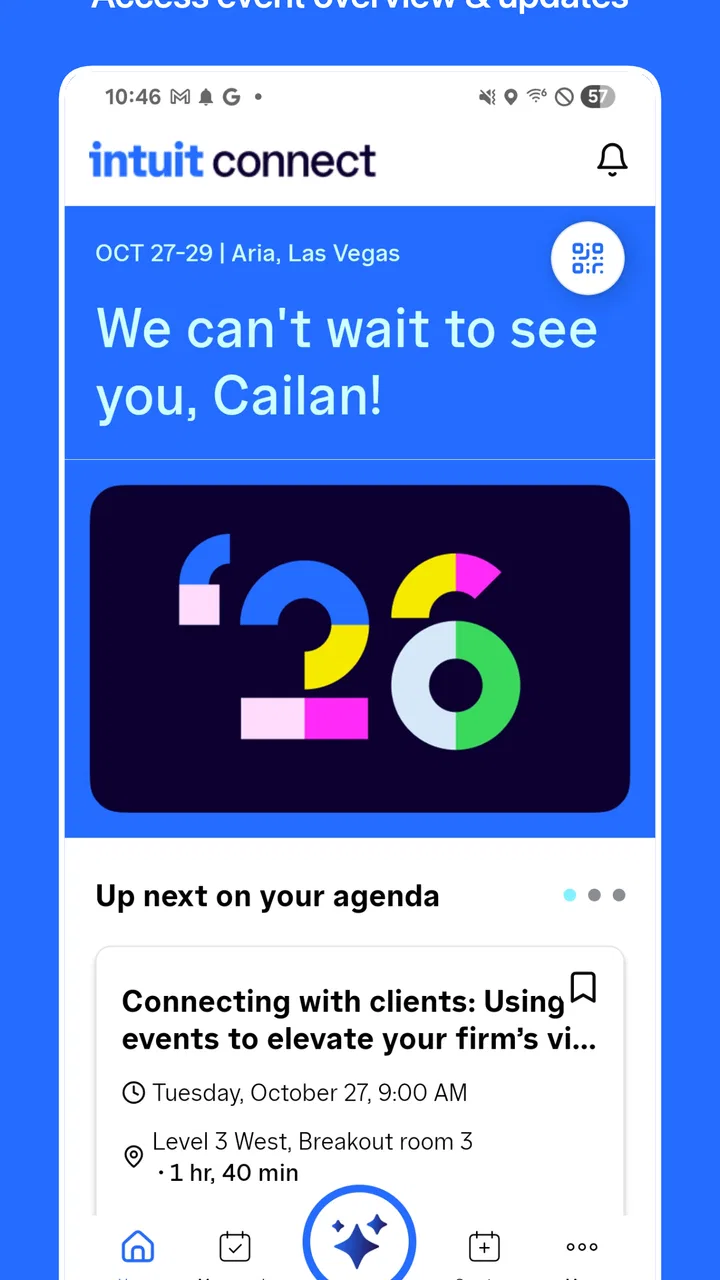
Intuit Connect
- 4.1
- Rating
- 10.00K
- Installs
- Free
- Price

 Analysis by App-foxy
When I install an event companion app, I am not looking for another general-purpose social network. I want something that helps me prepare, stay oriented while I am there, and make sensible choices about what I share. Intuit Connect is built for that narrow situation. Developed by Intuit Inc, it is an Events app intended to accompany an Intuit event rather than serve as an everyday tool for every kind of gathering.
That focus matters. A dedicated event app can be more useful than a crowded mix of email threads, printed schedules, browser tabs, and ordinary messaging apps, but only when the event itself gives it a clear job. My overall impression is that this app makes the most sense for people attending an Intuit-hosted event who want one place for event-related information and interactions. If you are not attending such an event, there is little reason to keep it installed.
What the app is really for
The store summary presents Intuit Connect as a companion for an Intuit event, and that is the right way to think about it. It is not a replacement for a calendar, a full conference-management platform, or a general communication app. Its value depends on the event around it: the organizers, the content they publish, and the choices they make available to attendees.
You May Also Like

 Blood Strike: 2.5 Anniversary
Blood Strike’s Loadouts Turn Every Drop Into a Tactical Gamble
A close look at Blood Strike’s custom loadouts: how fast access to signature weapons reshapes its battle royale rhythm, rewards preparation, and narrows the gap between fights.

 Pandora - Music & Podcasts
Pandora’s Music Is Easy to Start, but Harder to Recover
Pandora’s strength is its low-effort path from a seed to a station. Its weak spot is how much confidence it asks you to place in connection, setup, and quiet recovery.

 8 Ball Pool
 Is Built on Rivalries, Rematches, and Routine
A close look at the rivalries, rematches, shared routines, and unanswered safety questions that turn a quick pool match into a persistent mobile community.

 Samsung Music
’s Quiet Strength Is Playing What You Already Own
Its reach comes less from spectacle than from dependable access to a personal library. That simplicity is both the app’s strongest retention engine and its ceiling.

 AccuWeather: Weather Radar
AccuWeather Review: A Quick, Clear Forecast for Everyday Decisions
For everyday plans, the best forecast is the one you can understand quickly. AccuWeather makes rain timing, radar, and local conditions easy to act on, with a few trade-offs.

 Hill Climb Racing
Why Hill Climb Racing Still Turns Crashes Into One More Run
A tiny car, a bumpy hill and one more upgrade: Hill Climb Racing keeps resurfacing because its simple chaos makes every near-miss feel personal.
More From Our News Desk



That dependency creates both its strength and its limitation. A focused companion is easier to understand than a large event platform trying to cover every possible conference, meeting, or festival. At the same time, the app cannot independently create a useful experience. If an event has limited information or if you only need a single reminder, installing a separate companion may feel like extra work.
I would therefore judge it by a practical question: does it reduce friction during the specific Intuit event I am attending? If the answer is yes, the app can earn its place temporarily. If I am simply curious about Intuit or looking for a permanent productivity tool, I would skip it.
The app is free, which removes the most obvious barrier to trying it. It is also marked for Everyone, so its presentation is not aimed at a restricted age group. Those details make it approachable for a broad attendee audience, although a general age label should not be confused with a promise that every event or every interaction will suit every person.
Trust starts with a narrow purpose
My trust in an event app begins with scope. Intuit Connect has a clearly defined role, and that is preferable to an app that asks to become the center of my digital life. I can install it for a particular event, use it while the event is relevant, and later decide whether I still need it. That temporary model is healthier than treating every companion app as a permanent service.
The public response is reasonably encouraging without being a reason to stop thinking critically. It has a 4.1 average from around fifty ratings, with a smaller group of written reviews. I read that as a sign that people have found enough value to rate it, not as proof that every attendee will have the same experience. Event apps are especially dependent on timing, event setup, and device conditions.
The app has passed ten thousand installs, so it is not an entirely unknown download, but its scale remains modest compared with mass-market communication tools. That is consistent with a specialized companion rather than a universal platform. I would be more interested in whether it serves my event cleanly than in comparing its install count with apps designed for entirely different purposes.
What I would check before signing in
Before entering any personal information, I would look carefully at the first screens. The important questions are simple: what account is required, which fields are optional, what event is selected, and what information becomes visible to other attendees? Those are the controls that shape the real privacy experience, and I would not assume that an event companion handles them in the same way as a normal calendar or email app.
I would also read each permission request instead of approving everything automatically. A permission should have an obvious connection to something I am trying to do. If a feature works without a permission, I prefer to leave that permission disabled. If the app explains why access is needed, that explanation helps me make a deliberate choice; if it does not, I would treat the request cautiously.
This is not a criticism of Intuit Connect specifically. It is the sensible habit for any app connected with an event, where registration details, professional identity, networking preferences, and schedules can overlap. The event setting can make people share more than they normally would because they are trying to participate quickly.
One useful habit is to create a small pre-event checklist. I would install the app from the official store, open it before leaving home, review its account and permission prompts, and sign in only after confirming that the event shown is the one I expect. Doing this early avoids making privacy decisions in a crowded venue while a session is about to begin.
Account control is more important than convenience
Event apps often become awkward when the attendee uses more than one email address. I would decide in advance whether to use a work account, a personal account, or the address associated with registration. Choosing consistently can prevent duplicate profiles and confusion when access is tied to an invitation or event record.
If the app offers profile fields, I would fill in only what helps me participate. A short professional description may be useful for networking, but I would avoid adding unnecessary personal details simply because a profile screen makes them available. The best event profile is not the longest one; it is the one that gives other attendees enough context without turning a temporary event presence into a permanent public biography.
I would also look for ways to edit or hide profile information before using networking features. User agency is not just the ability to accept a prompt. It includes being able to change a choice later, understand who can see a detail, and stop participating without losing control of the account.
If I were finished with the event, I would review the profile and notification settings again. I would remove event-specific details that no longer serve a purpose, turn off unnecessary alerts, and decide whether keeping the app installed is worthwhile. This is a small step, but it prevents a temporary tool from quietly becoming a source of irrelevant notifications.
A realistic day at an Intuit event
Imagine I am attending an Intuit event on a busy workday. I install the app the night before, open it at home, and check that my account is connected to the right event. I review the available information, note anything I need to remember, and decide which notifications would actually help. I do not want every alert; I want the ones that can prevent me from missing something important.
At the venue, I use the app as a reference point rather than staring at it constantly. Between sessions, I check the current event information, confirm where I need to go next, and use any available participation tools only when I understand what they reveal about me. If a networking option requests a public profile, I consider whether the benefit is worth being discoverable.
During a break, someone asks how to contact me after the event. Instead of immediately exposing a personal address, I would use the least revealing contact option available, such as a professional profile or a work channel, if the app and the event support that choice. The important insight is that convenience and disclosure are linked: the faster the connection, the more carefully I should inspect what is being shared.
At the end of the day, I would not assume that closing the app ends every interaction. I would check notification settings, sign out if the device is shared, and remove any saved information that I no longer need. On a personal phone, uninstalling may be reasonable once the event is over; on a work-managed device, I would follow the organization’s normal process instead.
Data-sensitive moments deserve attention
The most sensitive point is usually not installation. It is participation. An event companion may sit close to registration details, professional identity, attendance status, messages, or networking activity. Even when each item seems harmless, the combination can reveal where I am, what I am interested in, and who I am meeting.
For that reason, I would separate essential participation from optional visibility. If I need an account to access event information, I would provide the required details but keep optional profile fields minimal. If a social feature is useful, I would use it selectively instead of enabling every discovery or connection option by default.
I would be particularly careful on a shared phone or a device that colleagues can see. Lock-screen previews can expose event names, messages, or reminders. A practical adjustment is to disable previews for the app while keeping alerts available, if the operating system offers that distinction. This preserves awareness without displaying private context to anyone nearby.
Public Wi-Fi is another moment for caution. I would avoid changing sensitive account details during a crowded event unless necessary, and I would make sure my device has its normal screen lock enabled. These are device-level precautions rather than special claims about Intuit Connect, but they matter because event use often happens in public spaces.
I would also resist taking screenshots of attendee lists, private messages, or profile pages simply for convenience. A screenshot can outlive the event and be copied without the original context. If I need a reminder, I would record only the minimum information needed and store it in a place I control.
How it compares with ordinary alternatives
The usual alternative is a combination of email, a browser page, a calendar, and perhaps a messaging app. That mix can work well when the event is small or when the organizer sends clear updates. It also gives me more control over which tools I use and avoids installing a dedicated app for a short occasion.
Intuit Connect is more attractive when the event information changes during the day or when participation is more than simply reading a schedule. A dedicated companion can put event-specific information closer at hand and reduce the need to search through old messages. The trade-off is that I am trusting one additional app with an event-centered slice of my activity.
A general conference app may be better for someone attending many unrelated events because it can keep several schedules together. A calendar is better for long-term reminders and personal planning. Email is often better for retaining formal registration messages. Intuit Connect is the better fit when the Intuit event itself is the center of the experience and the app provides something more immediate than a static message.
I would not use it as a replacement for my normal note-taking system. Notes, tasks, and follow-up contacts belong in tools I already understand and control. The companion should help me navigate the event; it should not become the only place where important professional commitments are recorded.
Version, device fit, and practical friction
The current version is 5.16.0, and the app requires at least iOS 11. That minimum makes it suitable for devices running a relatively established version of Apple’s mobile operating system, but I would still update the phone before attending. An outdated operating system can create avoidable compatibility and security problems, while an outdated app can miss event changes or behave unpredictably.
I would also prepare for the ordinary realities of event use: low battery, crowded networks, and limited time. Opening the app before arriving gives it a chance to load the relevant experience while I have a stable connection. Carrying a charger or battery pack is sensible, but I would not rely on the app as the only copy of information I cannot afford to lose.
A useful compromise is to keep a small offline backup of essential details, such as the event address, registration confirmation, and the name of the session I most want to attend. I would not copy sensitive attendee information into that backup. This approach protects me from a dead battery or poor connection without creating a second privacy problem.
The app’s narrow purpose can also create a psychological friction point: once the event is finished, its usefulness may drop sharply. That is not a flaw for a temporary companion, but it does mean I should not judge it by the standards of an app I use daily. Its success is measured in how smoothly it supports the event, not in how much time it keeps me inside the app afterward.
Who should use it and who should skip it
I would recommend trying Intuit Connect if I had a confirmed Intuit event to attend and the organizers directed attendees toward it. The free price makes testing straightforward, and the focused design is more likely to be useful in that setting than a generic social platform. It is especially suitable for someone who wants event information and participation options in one dedicated place while retaining control over profile visibility and notifications.
I would be more cautious if I were attending only briefly, had no need for interactive features, or already had all essential information in a calendar and registration email. In those cases, the installation and account setup may not repay the effort. Someone who strongly avoids temporary apps should first decide whether the event experience truly depends on it.
I would also skip it for unrelated conferences, personal gatherings, or everyday scheduling. It is not the right tool for managing a household calendar, organizing a recurring club, or replacing a normal messaging service. Using it outside its event context would create more clutter without a clear benefit.
For privacy-conscious users, my advice is not simply “install” or “do not install.” I would install only for a real need, inspect the account and permission prompts, limit optional profile information, control notification previews, and remove access or uninstall when the event is no longer relevant. Those choices preserve most of the convenience while reducing unnecessary exposure.
My cautious verdict
Intuit Connect is a specialized Events app with a sensible purpose: helping attendees engage with an Intuit event through a dedicated mobile experience. I like that its role is easy to understand, that it is free to try, and that it does not need to replace the rest of my digital toolkit. The public response, with a 4.1 average and around fifty ratings, suggests a generally positive reception, although I would treat that as useful context rather than a guarantee.
My main reservation is the same thing that defines the app: its usefulness depends heavily on the event and on how much information or interaction the organizers place inside it. The app is not a universal solution, and it should not be treated as one. I would also keep an eye on account visibility, permissions, notification previews, and the amount of personal information I choose to add.
The best way to use Intuit Connect is as a controlled, temporary event tool rather than a permanent social hub. Install it when an Intuit event gives you a clear reason, prepare it before arriving, share only what supports your participation, and review your settings afterward. With that approach, it can be a practical companion. Without a relevant event, I would leave it alone and use the simpler tools I already have.
For eligible attendees, I think it is worth trying because the cost is low and the purpose is focused. For everyone else, the honest recommendation is to skip it. That distinction is important: a trustworthy app choice is not about installing more tools, but about choosing the one whose purpose, controls, and timing genuinely fit the situation.
FAQs for Intuit Connect
01What is Intuit Connect and how does it work?
Intuit Connect is a streamlined app designed to simplify financial management for small businesses. It integrates seamlessly with other Intuit products like QuickBooks and TurboTax, allowing users to manage invoices, track expenses, and organize financial data efficiently. The app provides a user-friendly interface and various tools to automate financial tasks, making accounting easier and more accurate.
02Is Intuit Connect secure to use for my financial information?
Yes, Intuit Connect prioritizes security by implementing robust encryption protocols to protect your financial data. The app uses two-factor authentication and regularly updates its security measures to safeguard your information from unauthorized access. Intuit also has a dedicated team to monitor for potential threats and ensures compliance with industry standards.
03Can Intuit Connect be integrated with other accounting software?
Intuit Connect is specifically designed to integrate seamlessly with other Intuit products like QuickBooks and TurboTax. While it may not directly integrate with non-Intuit software, it offers export options that allow you to use your financial data with other platforms. This flexibility ensures that you can still incorporate the app into your existing workflows.
04What are the subscription costs for Intuit Connect?
Intuit Connect offers a subscription-based model with different pricing tiers to accommodate various business needs. The cost depends on the features and level of support required. Typically, there is a monthly fee, but annual subscriptions can offer cost savings. A free trial may also be available to allow users to evaluate the app before committing to a plan.
05Does Intuit Connect offer customer support?
Yes, Intuit Connect provides comprehensive customer support to assist users with any issues or questions. Support options include a detailed online help center, community forums, and direct assistance via phone or chat. Intuit is committed to ensuring users have a smooth experience and access to the help they need to make the most of the app.
Pros
- User-friendly interface for quick navigation.
- Seamless integration with financial tools.
- Real-time data synchronization available.
- Customizable notifications for updates.
- Secure data encryption ensures privacy.
Cons
- Limited offline functionality available.
- Occasional sync issues reported by users.
- Higher tier plans can be costly.
- Requires frequent updates for full features.
- Some features need a stable internet connection.

Intuit Connect
Gallery